 EV INITIATIVE
EV Initiative / Everyone getting started
Your role. Your first steps.
Start with the work you do. Each guide takes you from your account and assigned chargers to a first successful session, then the checks you will use every week.
Fastest install: order pre-programmed chargers from evinitiative.shop. They arrive ready to connect. You still register the install so we can test and launch it.
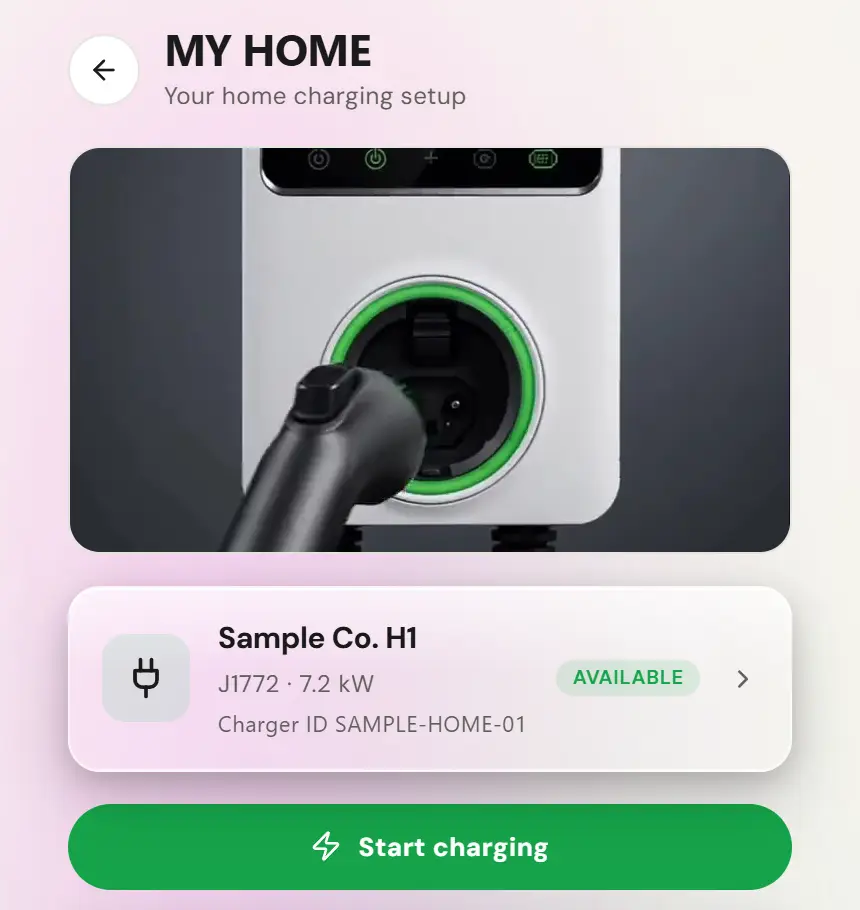
The shop lists pre-commissioning to the network on its DC chargers. For AC models, ask EVI before you order whether your units can be programmed before they ship. Home chargers are registered in My Home first, then connected over Wi-Fi with the Autel app. For those, use the residential host guide.
Choose your guide
Buildings & property managers
Assigned sites, electricity rates, resident sharing, location bank setup and reports.
Open guideResidential hosts
Your own home charger, household access, guest charging and host payouts in the driver app.
Open guideResidential hosts · Canada
Home setup in Canada, prices in Canadian dollars, location details and the carbon earnings states.
Open guideBusinesses & hotels
Front-desk handover, guest access, property comparisons and reimbursement readiness.
Open guideFleet operators
Fleet assignments, drivers, vehicles, keyfobs, billing and Public/Fleet mode checks.
Open guideOperators & viewers
Tenant operations, delegated site access, reports and who handles changes.
Open guideBuying hardware
Order from evinitiative.shop, check lead times, choose pre-programmed or on-site, and prepare for arrival.
Open guideSales Partners & installers
Register once, program each unit, verify every plug and obtain human launch approval.
Open guideStart in the right app
Admin
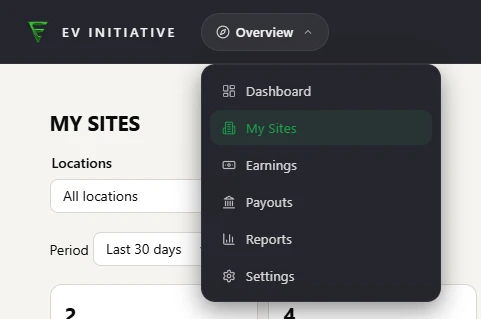
Operators, building admins, property managers, charger owners with delegated site access, Sales Partners and fleet admins use the Admin address supplied by EVI.
Driver app
Residential hosts, household members, residents and fleet drivers use the driver app. Owning a home charger does not automatically create an Admin role.
Use the email on your invitation or the account confirmed by EVI. A guide or a shared page link does not grant access. Ask your operator to correct missing sites or fleets; do not create a duplicate account or charger to work around it.
These are EVI v3 instructions. Use the v3 portal supplied for your rollout; an older portal may have different menus. Use staging accounts and staging hardware settings only for staging tests.
Your first week
A simple handover
- Confirm your role, assigned locations or fleet, and the person responsible for site decisions.
- Complete the relevant setup guide. New commercial hardware also follows the installer guide before anyone announces it as available.
- Confirm who receives electricity reimbursement or host earnings, and complete the relevant Stripe setup.
- After human launch approval, or for a home charger once My Home shows it as Available or Plugged in, run a normal session on the intended access path. Confirm its identity, displayed price, energy and finished status.
- Review your first report and give the day-to-day contact this guide and the support details.
When something is missing
Send support@evinitiative.com the site name, charger identity, affected plug, time and time zone, and the error you see. Leave passwords, sign-in codes, card numbers and bank details out of the message. For damaged equipment or an electrical fault, stop using it and contact the responsible installer.
The Operator Manual provides broader reference material. For these new v3 onboarding paths, follow the role-specific steps here and the controls available to your account.