 EV INITIATIVE
EV Initiative / Buyer · Sales Partner · Site owner · Fleet
Order it ready for the network.
New hardware for the EV Initiative network is purchased through evinitiative.shop. Order there, check the lead time, choose how each unit is programmed, and register each commercial install early so it can be tested and launched. A home host registers their own charger in My Home.
1. Why buy through evinitiative.shop
Order from evinitiative.shop. Prices, shipping estimates and lead times are on each product page. The screenshots below are dated examples; the product page always shows the current figures.
Ready for the network
The shop’s DC chargers include pre-commissioning to the network. For AC models, ask EVI before you order whether your units can be programmed before they ship. Either way, each unit’s EVI credentials come from its registered install.
Tested at your site before launch
Like every install on the network, each plug is tested at its installed location. An operator then reviews the results and approves launch. Ordinary driver charging stays unavailable until that approval.
Supported
Email hello@evinitiative.com with order or product questions, and support@evinitiative.com with delivery questions. Include your order number if you have one. Where a manual is available, select Download the manual on the product page, enter your email and select Get the manual. The shop sends product updates and setup tips to that address.
Manufacturer warranty
Each charger’s product page states its manufacturer warranty. Keep your order confirmation. Warranty claims follow the manufacturer’s terms. If a unit is faulty, email hello@evinitiative.com with the order number and the unit’s identity, and EVI can point you to the right contact.
2. How to order
Order on evinitiative.shop
- Open evinitiative.shop and choose a category: Commercial DC, Commercial AC, Home Charging or Accessories.
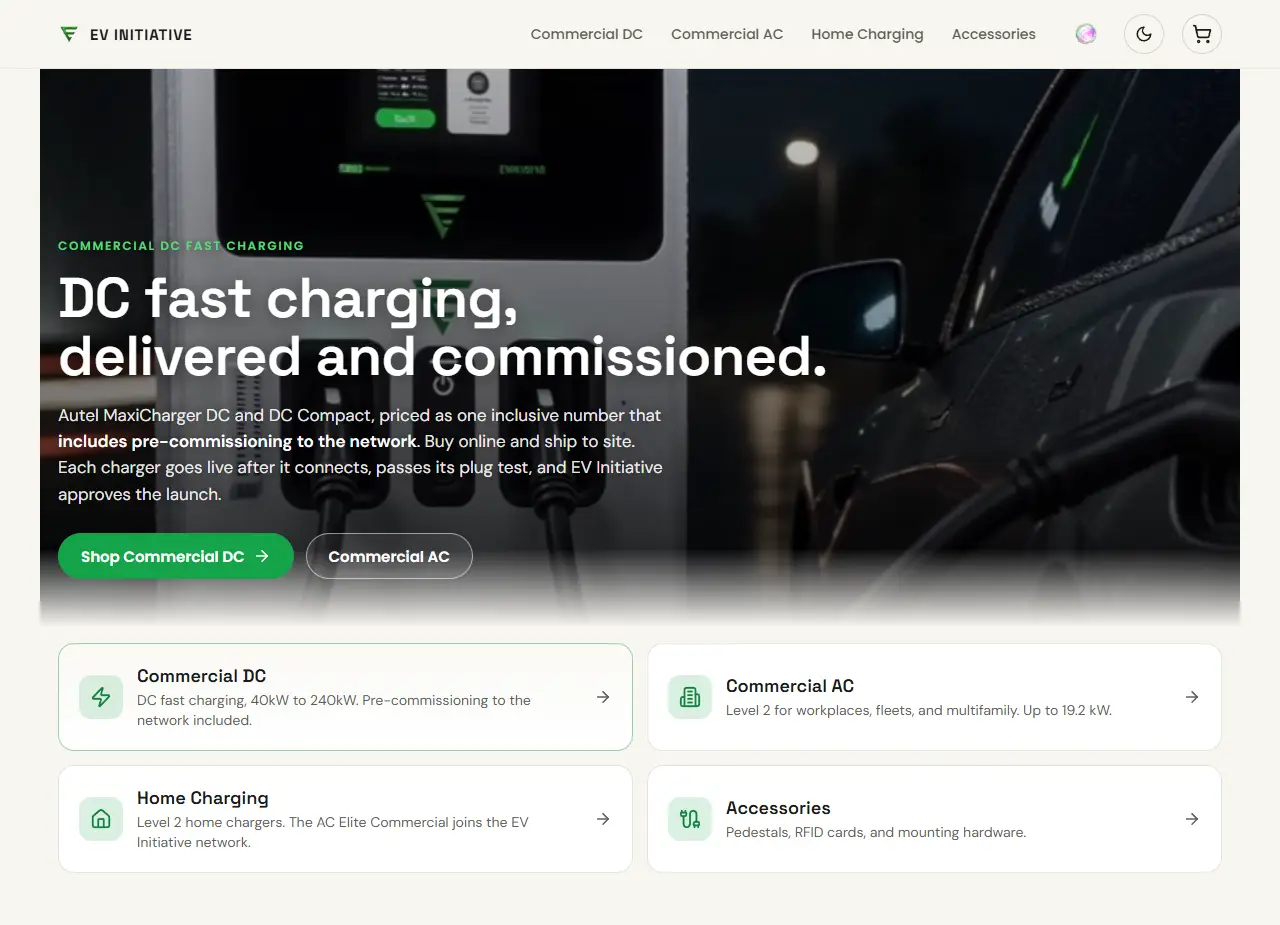
The shop’s home page, with the four categories under the banner. The Home Charging card names the AC Elite Commercial, the home charger that joins the EV Initiative network. From evinitiative.shop on 3 October 2026. Prices and lead times change; the shop shows current ones. 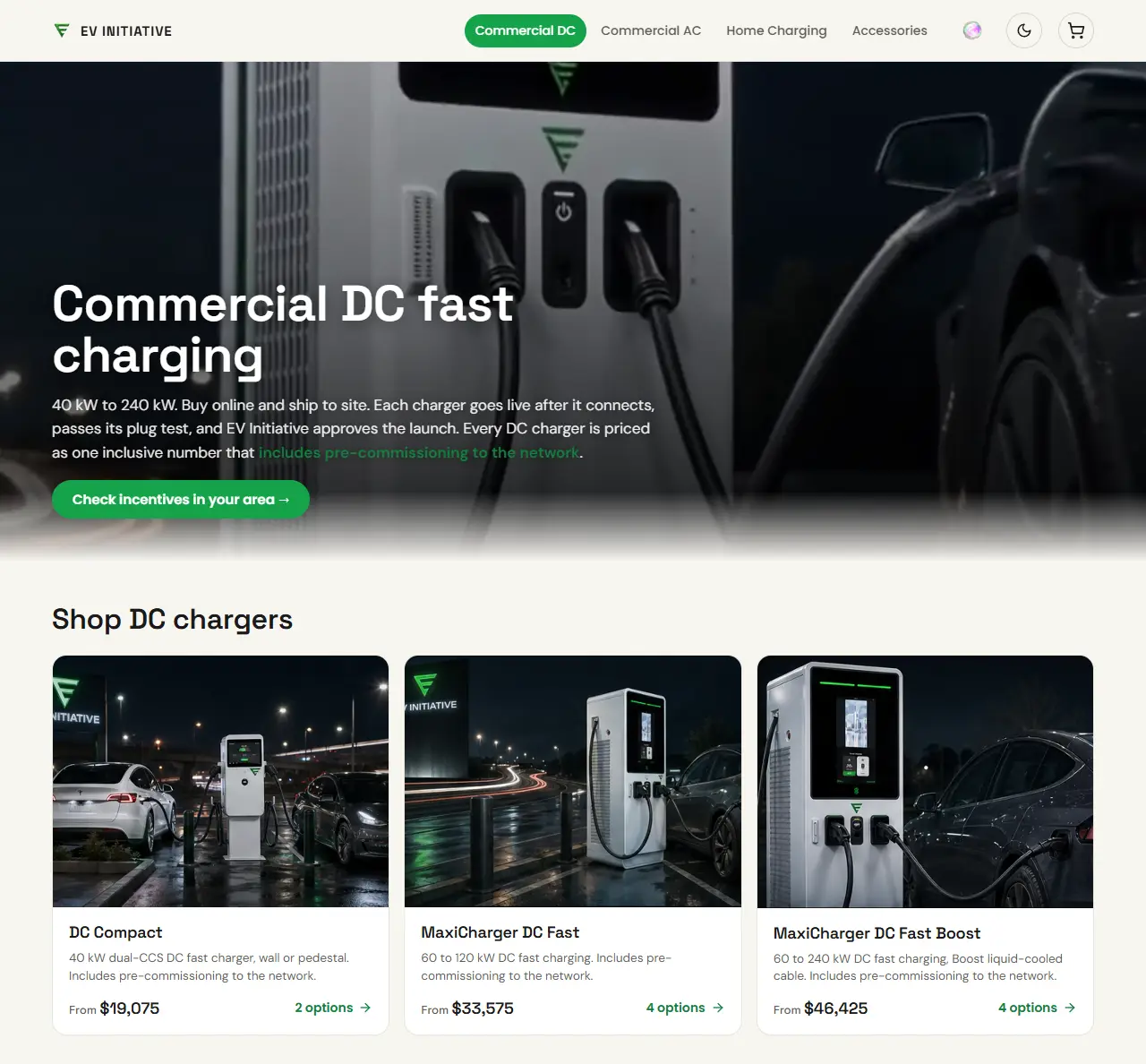
The Commercial DC page lists each charger with its starting price and number of versions. From evinitiative.shop on 2 October 2026. Prices and lead times change; the shop shows current ones. - Open the product and choose the version you need. Read the lead time, shipping line and warranty on the product page. For a home charger on the network, choose the AC Elite Commercial under Home Charging; in the cart it reads AC Elite Commercial 50A in-body holster, for home. The AC Elite Home does not connect to the EV Initiative network.
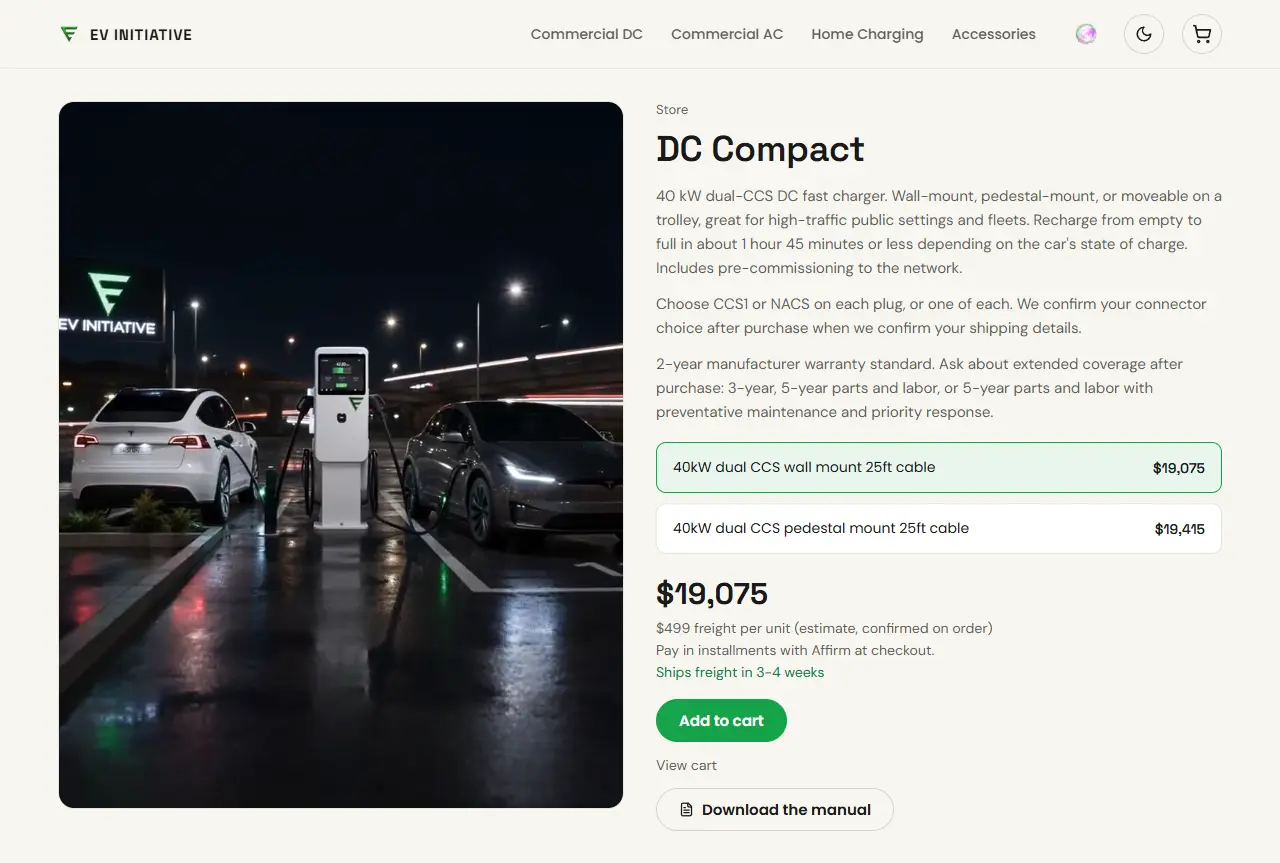
A DC charger’s product page: the versions, then the freight line and lead time under the price, above Add to cart and Download the manual. From evinitiative.shop on 2 October 2026. Prices and lead times change; the shop shows current ones. 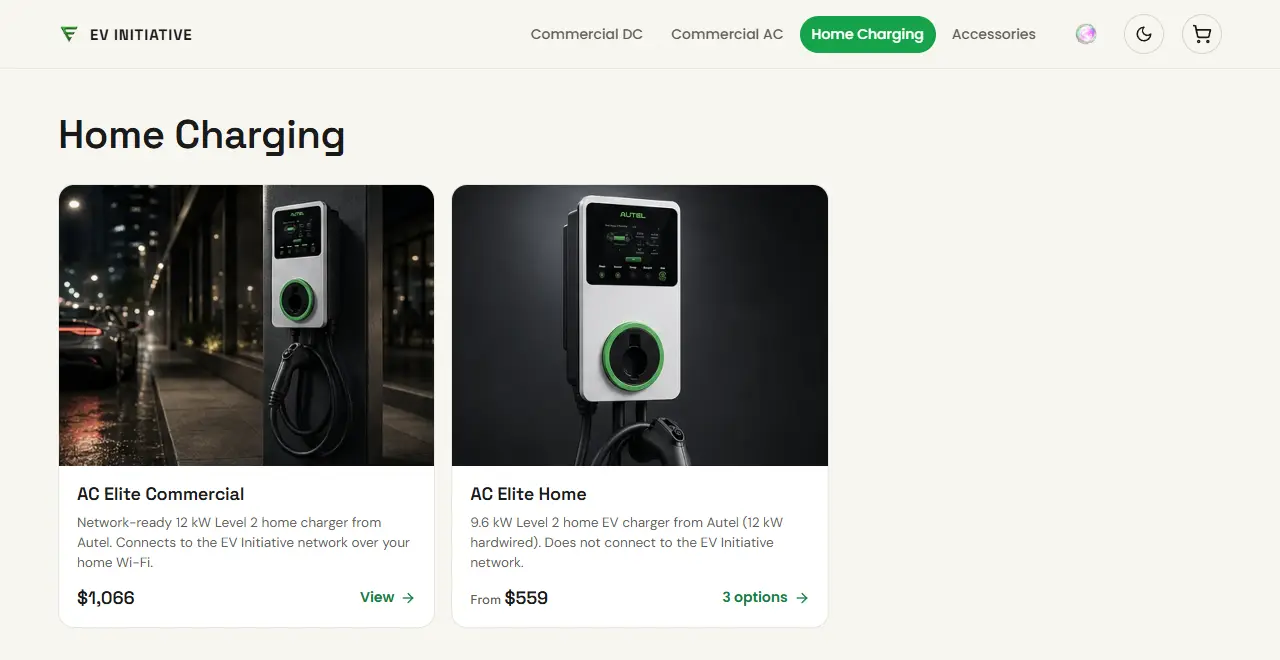
Home Charging lists the network-ready AC Elite Commercial first. The AC Elite Home does not connect to the EV Initiative network, and its card says so. From evinitiative.shop on 3 October 2026. Prices and lead times change; the shop shows current ones. - Select Add to cart, review the cart, then select Proceed to checkout. You pay on Stripe’s secure checkout page. No account is needed. Shipping addresses must be in the US or Canada.
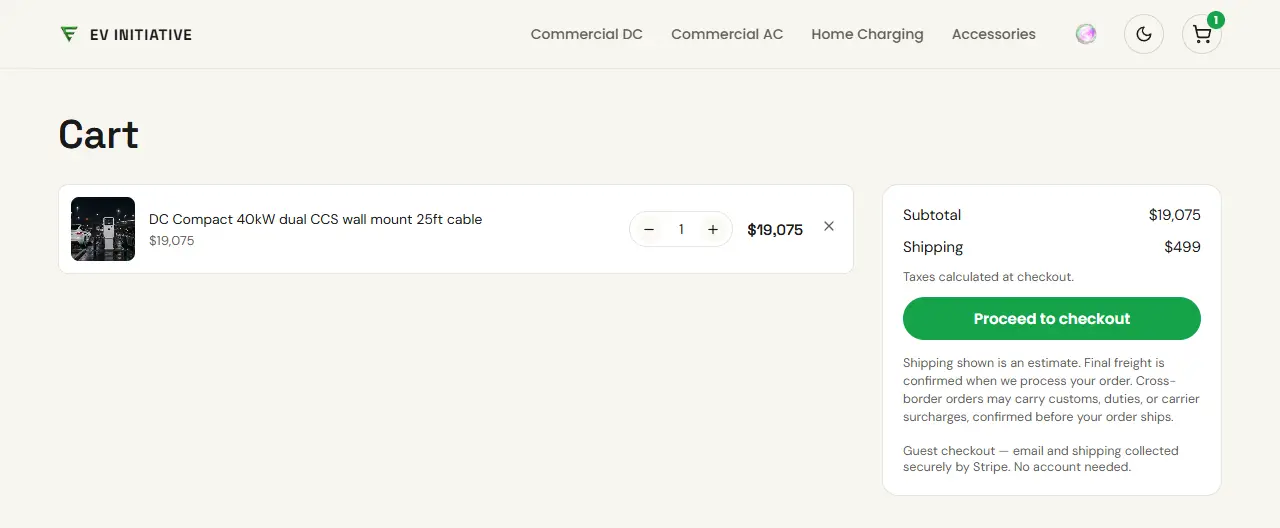
The cart, with an estimated shipping line and Proceed to checkout. From evinitiative.shop on 2 October 2026. Prices and lead times change; the shop shows current ones. - Watch for the order confirmation email. Tracking is emailed when the order ships. For delivery questions, email support@evinitiative.com with your order number.
- Send your EVI contact or Sales Partner the order number, the destination site and who will install. Placing an order does not register the install or create installer access. For a home charger bought under Home Charging, skip this: you register it yourself in My Home, as the residential host guide explains. Do not ask EVI or a Sales Partner to register it, or My Home will say it is already registered.
- Shipping shown in the cart is an estimate. Final freight is confirmed when the order is processed.
- Ordering 4 or more chargers? You still check out online. After you order, the team confirms final freight and logistics within one business day.
- For DC chargers, you do not pick connectors at checkout. Each plug can be CCS1 or NACS. After purchase, EVI confirms your choice for each plug when it confirms your shipping details.
- Planning a DC site or need a freight quote? Use Talk to sales on the Commercial DC page.
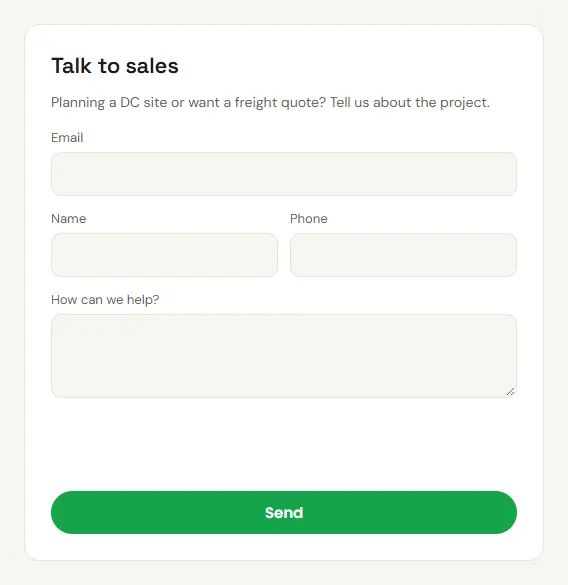
Talk to sales, lower on the Commercial DC page. The live form also shows a verification check above Send. From evinitiative.shop on 2 October 2026. Prices and lead times change; the shop shows current ones. - Sales Partners use the same shop and checkout. There is no separate partner ordering flow.
3. Check the lead time
Each product page shows its lead time under the price. The table lists the lead times shown for current products. If a product page differs, follow the product page.
| Product | Shop lead time |
|---|---|
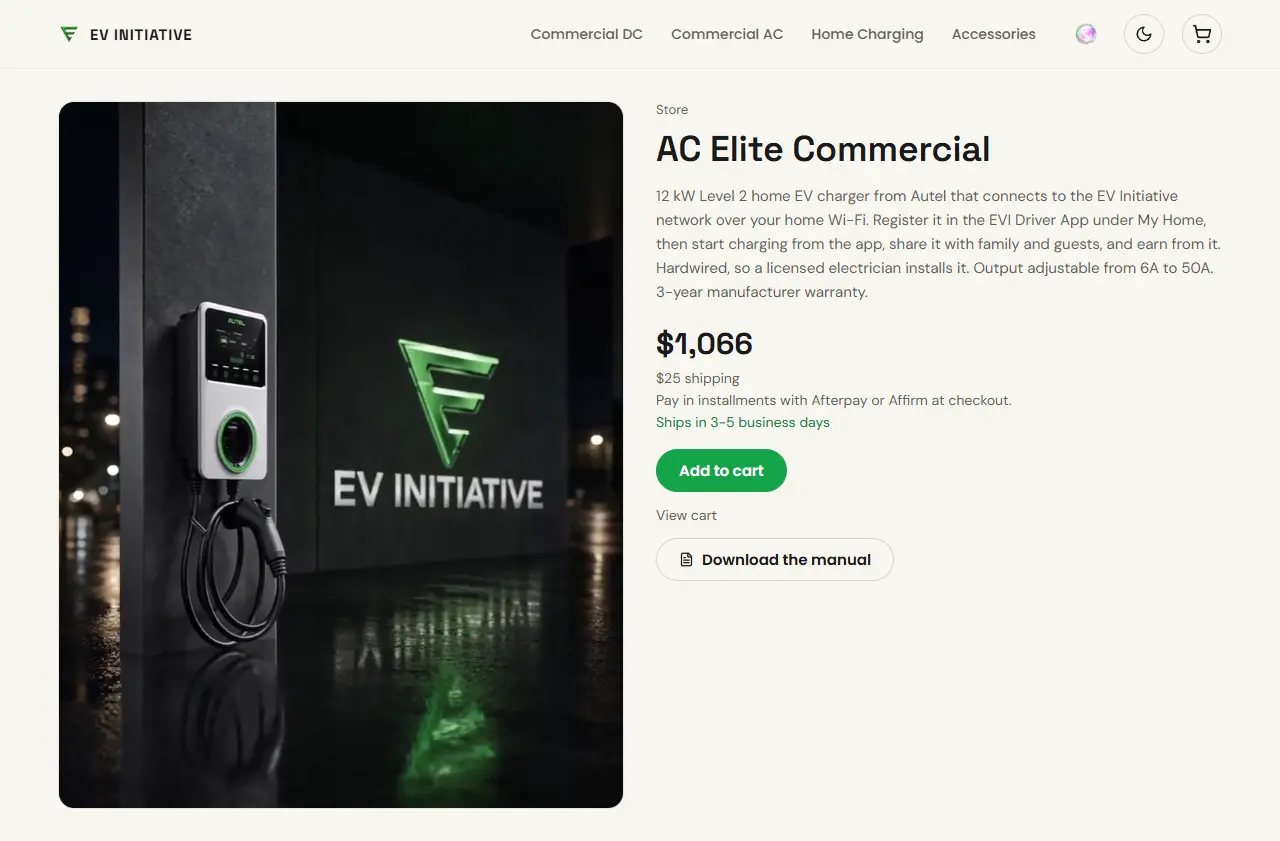
| AC Elite Commercial | Ships in 3 to 5 business days |
| AC Pro Commercial | Ships in 5 to 7 business days |
| AC Ultra, every configuration | Ships freight in 2 to 3 weeks |
| DC Compact, MaxiCharger DC Fast and MaxiCharger DC Fast Boost | Ships freight in 3 to 4 weeks |
| Accessories: RFID cards, pedestal posts and wall mount kit | Ships in 3 to 5 business days |
A lead time says when the order ships, not when it arrives. Allow extra time for delivery, and book the site visit once you have tracking.
4. Pre-programmed or on-site
Pre-programmed is the recommended path. When EVI arranges it, the units are programmed before they ship, so the site visit is for installing and testing. Programming on-site is the fallback. The installer guide’s pre-programmed or on-site steps give the detail.
Pre-programmed (recommended)
- Before you order, ask EVI whether it can arrange pre-programming for your units.
- Register the install with each unit’s exact identity as soon as the supplier provides it, before programming.
- If EVI confirms pre-programming for your order, an assigned technician enters each unit’s EVI credentials before shipment, once commissioning is authorized. If not, the units are programmed on-site.
- The units ship with their identity labels and stay in commissioning.
- On site, the installer installs and powers up each unit, confirms the connection checks and tests every plug.
Programmed on-site (second choice)
- Register the install before the appointment.
- The assigned installer opens each unit’s programming card at the site.
- The installer enters those settings in the manufacturer’s tool, confirms the connection checks and tests every plug.
The shop lists pre-commissioning to the network on its DC chargers. For AC models, confirm with EVI whether your order can be programmed before it ships.
Both paths need a registered install, commissioning authorization, an assigned installer, passing connection checks, a test on every plug and human launch approval. Installer access lasts 30 days at a time. Freight can take weeks, so ask EVI to extend access before the site visit if needed.
Home chargers follow the residential host guide instead, with no programming before shipping and no installer access. Home hosts need the network-ready AC Elite Commercial, listed under Home Charging: the same charger as the AC Elite Commercial in the lead-time table, with the home setup steps instead of a commercial installation. In the cart it reads AC Elite Commercial 50A in-body holster, for home. The AC Elite Home does not connect to the EV Initiative network. The host registers the charger in My Home in the driver app first. My Home then shows the server URL, charger ID and password to enter in the Autel app, and the charger connects over the home Wi-Fi. When a home order is marked delivered, EVI emails these steps.
5. Choose how each charger connects
Each charger reaches the network one of two ways. The installer and the location choose what suits the site.
- Site WiFi or ethernet
- Uses the site’s own network, with no data cost. Best for underground or garage installs where the site network reaches the charger well.
- EV Initiative cellular data
- Uses a SIM we supply. The charger owner is billed $20 per data top-up, which typically lasts 3 to 4 months per charger.
6. When the hardware arrives
Home chargers bought under Home Charging skip this section: nobody registers the install for you and no installer account is needed. Follow the residential host guide and register the charger in My Home. Do not ask EVI or a Sales Partner to register a home charger, or My Home will say it is already registered.
Before the installer starts
- Check each delivery against your order confirmation and look for shipping damage. Report a problem to support@evinitiative.com with your order number.
- Keep the identity label on each unit. The identity or serial printed on the unit must match its registered identity. Do not swap units between positions or sites.
- If the install is not registered yet, ask your Sales Partner or EVI to register it now with each unit’s exact identity. Register it once only. Units registered after delivery are programmed on-site, so follow the on-site path in the installer guide.
- Confirm that the installer has an EVI account assigned to the deployment and that their access is still valid.
- Get the manufacturer’s manual from the product page where available: select Download the manual and enter your email. Install each unit to the manufacturer’s instructions, then follow the installer guide.
- Do not announce the charger as available until an operator approves launch.
Order questions
The product page shows a different lead time
Follow the product page. It shows the current lead time for that item.
My order has not shipped
Email support@evinitiative.com with your order number.
Can I use hardware bought somewhere else?
Ask EVI before you install a unit that was not bought on the shop. It must support the connection settings in the installer guide.
For order or warranty questions, email hello@evinitiative.com with your order number; for delivery questions, email support@evinitiative.com. For a problem with an installed charger, contact EVI support.
Send support@evinitiative.com the site name, charger identity, affected plug, time and time zone, and the error you see. Leave passwords, sign-in codes, card numbers and bank details out of the message. For damaged equipment or an electrical fault, stop using it and contact the responsible installer.